Display Ads & Social Tiles
Small formats are their own discipline. A banner or a social tile has a split second and a few hundred pixels to land one message and earn one action — and it usually has to do it across a whole matrix of sizes and platforms without losing hierarchy or brand. These are campaign pieces built to stay clear, on-brand, and clickable at any dimension.
Section I — Display Ads
Grammarly | Ebook Display Ads
The goal: Drive downloads of Grammarly's Future of Writing ebook with a display campaign that had to stop a scroll and earn a click in a crowded feed.
My role: I designed and built out the campaign across the full set of banner sizes, adapting a single concept so it stays clear and unmistakably Grammarly from a leaderboard to a skyscraper to a square.
The approach: One message, one strong CTA, and type and crop tuned per size so the hierarchy survives even the smallest unit — the whole set reading as one campaign rather than eight separate ads. Details: Designed in Figma · Multi-size display banner set · Content / demand-gen promotion


Grammarly | Webinar Display Ads
The goal: Drive registrations for one of Grammarly's monthly webinars — a time-sensitive push where the date and the call to action have to read instantly.
My role: I designed the banner set across the full size matrix, keeping the campaign consistent and on-brand at every dimension.
The approach: A registration-forward hierarchy — CTA and value up front, visual urgency without clutter — adapted cleanly across every size so the message never breaks. Details: Designed in Figma · Multi-size display banner set · Webinar registration campaign


Section II — Social Tiles
Social tiles carry a brand into the feed — where the competition is everything else on the screen. These are built to stop a scroll, hold the brand system, and flex across the sizes and platforms a campaign needs.
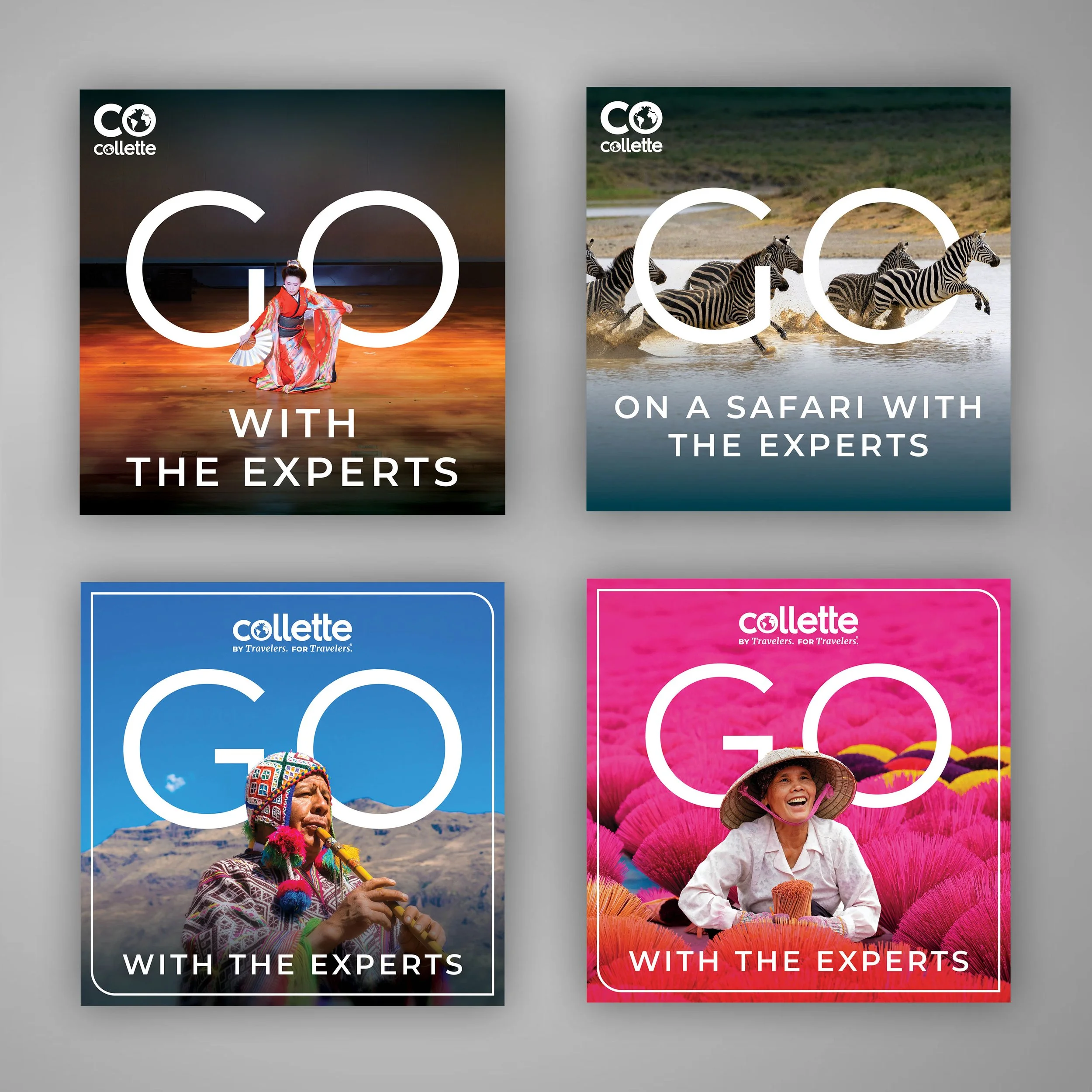
Collette | "Go With the Experts" — Expert Series Social Tiles
The goal: Give Collette's Expert Series campaign a social presence that stops a scroll and travels across destinations, formats, and audiences without losing its identity.
My role: I designed the social-tile system for the campaign — building the "GO … With the Experts" treatment out across a range of destinations, color fields, brand lockups, and feed formats.
The approach: One flexible template does the heavy lifting. The oversized "GO" wordmark frames destination photography, a destination-keyed color field makes each tile pop in-feed, and the layout flexes between square and portrait — and between logo lockups — so any new destination or placement drops in without rebuilding the design.
The impact: Built for an advisor-facing audience, the tiles were received so well internally that team members repurposed them for direct-to-consumer initiatives — a system that outgrew the audience it was made for. Details: Designed in Adobe CS· Social tiles · Multiple destinations & formats (square + portrait) · Collette Expert Series campaign · Advisor-facing → adopted for DTC